Be yourself; Everyone else is already taken.
— Oscar Wilde.
This is the first post on my new blog. I’m just getting this new blog going, so stay tuned for more. Subscribe below to get notified when I post new updates.

Be yourself; Everyone else is already taken.
— Oscar Wilde.
This is the first post on my new blog. I’m just getting this new blog going, so stay tuned for more. Subscribe below to get notified when I post new updates.
I watched the lesson called Differentiating Instruction Through Interactive Games on Edutopia. There was a great amount of technology incorporated into the lesson for the second grade classroom. The teacher starts the lesson off by conducting a whole group discussion to refresh their memories about adding and subtraction. When he feels like they are prepared, they are allowed to play math games on the macbooks provided by the school. They are supposed to complete three math games before moving on. He did not specify if they could play any game they wanted or if they had to play a specific game, but either way, the students looked engaged and excited in the video. On the laptops they were playing on PlanetTurtle, which allows the students to play games at their own pace. This is so important for children to work at their own pace so that they can learn on their own time and not be pressed for time. The classroom also had IPod Touches and a free trial for DreamBox website. The students seemed to enjoy the games.
The translation of ideas, or how the ideas or concepts are expereinced in the classroom are valuable. At the beginning the teacher and students are interacting verbally in a whole group discussion to transfer ideas about addition and subtraction. After that, the translation of ideas is on the websites that they are on. The websites allow the students to gain information in a fun way in the form of games. This is how the students begin to understand the concepts. PlanetTurtle differentiates the games and provides information to the teacher so that the teacher can see how the students are doing. This allows the teacher to step in and help the students who need it much sooner than if the teacher had to go around and check all the answers and see who needed help. This is the form of offloading in the lesson, as the teacher relies on the website to accomplish the task and make his life easier. Similarly, because the website provides information to the teacher, it is a kind of monitering or formative assessment because it shows the results of the games instantly, which allows the teacher to make changes or help students as soon as possible. It also holds the student accountable because they know that they need at least an 80% to move on. Overall, I think that technology has the potential to make students and teachers smarter, if the teachers and students are using it correctly. I think it allows for more intervention of the teacher and another way to learn for the students.
Distributed cognition is one of the ways that our brains process information. This process can be dispersed between any form of communication, technology, or experience.
| Description | 4-3 | 2-0 | Score |
| Project planning | -Student created a storyboard -storyboard had specific pictures, sound effects, and videos -script was specific, detailed, and told a story | -student created part of a storyboard / no storyboard -storyboard was broad, lacked pictures, videos, or sound effects -script was not detailed -script did not tell a complete story | |
| Story | -story is organized from beginning to end -story does not jump around -story flows from one event to another | -story is not organized; doesn’t flow from beginning to end -story jumps around and is confusing -story doesn’t flow from one event to another | |
| Content Understanding | -student understands the material -student meets all of the objectives taught in class -student shows an understanding of the objectives taught in class in the story -story is related to the content | -student doesn’t understand the material -student meets some / none of the objectives taught in class -student doesn’t show an understanding of the objectives taught in class in the story -story is not related to the content | |
| Assignment Criteria | -story is between 2-3 minutes | -story is too short or too long | |
| Total Score: |
Who I spoke to…
My lead teacher at St. Dominic has been swamped and stressed about the transition, so I was not able to hear back from her. So I spoke to my mother who was previously (2008 – 2016) the technology coordinator as well as 5th grade teacher at Holy Trinity School in Pittsburgh, which is extremely similar to St. Dominic, so I was hoping that it was okay that I interview her! I still look forward to hearing back from Mrs. D at St. Dominic whenever she has the time so that I can learn about what they do there!
Technology Specialists
Pittsburgh Network is the company in charge of the technologies available to advance the learning of the students. They come in and set up the technology, wireless network, and wireless hub in each classroom. They take care of the networks for the teachers, students, and guests.
-Director of computer technology – none
-Curriculum of educational technology- none
-Curriculum technology integration specialist- technology curriculum given to teachers by the
Diocese of Pittsburgh
-Technology Maintenance- Pittsburgh Network
-Technology security personnel- Pittsburgh Network
-Library media specialist- none
Technology Available
-Follet library software to scan and keep track of the books
-2 carts of 30 chromebooks for classroom use
-nooks for 6-8th grade to supplement the literature program
-30 Dell Inspiron computers in the library
Availability
The technologies are readily available and are in working order. The chromebooks are kept in the carts so that they can charge. There is a $50 technology fee for each family every year.
Firewall
There is a software provided by Pittsburgh Network includes a firewall for the school. The teachers can add things to the list of websites that are blocked under the firewall. The main things that were blocked included: youtube, social media, and other sites that the teachers requested so that the students would not be distracted or on inappropriate sites.
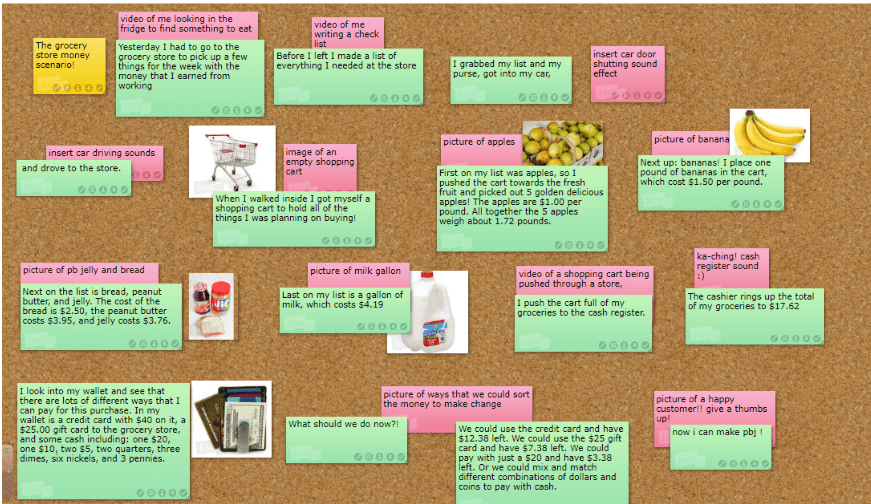
In case the image above is too difficult to read, I broke it up into smaller images that are easier to read 🙂
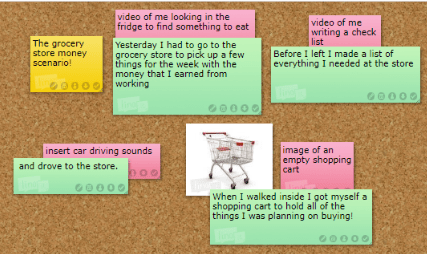
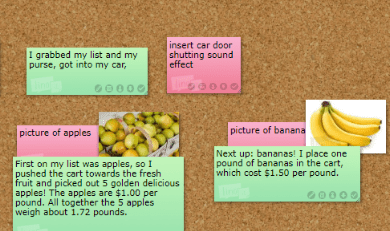

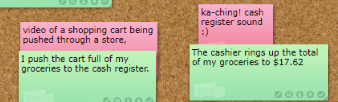
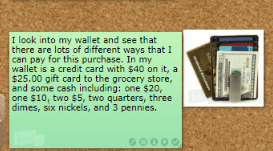
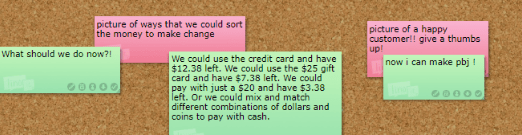
My digital story is for second graders as an example video for a completed unit regarding money. The following is the tentative script for the digital story:
“Yesterday I had to go to the grocery store to pick up a few things for the week with the money that I earned from working. Before I left I made a list of everything I needed at the store. I grabbed my list and my purse, got into my car, and drove to the store. When I walked inside I got myself a shopping cart to hold all of the things I was planning on buying! First on my list was apples, so I pushed the cart towards the fresh fruit and picked out 5 golden delicious apples! The apples are $1.00 per pound. All together the 5 apples weigh about 1.72 pounds. Next up: bananas! I place one pound of bananas in the cart, which cost $1.50 per pound. Next on the list is bread, peanut butter, and jelly. The cost of the bread is $2.50, the peanut butter costs $3.95, and jelly costs $3.76. Last on my list is a gallon of milk, which costs $4.19. I push the cart full of my groceries to the cash register. The cashier rings up the total of my groceries to $17.62. I look into my wallet and see that there are lots of different ways that I can pay for this purchase. In my wallet is a credit card with $40 on it, a $25.00 gift card to the grocery store, and some cash including: one $20, one $10, two $5, two quarters, three dimes, six nickels, and 3 pennies. What should we do now?! We could use the credit card and have $12.38 left. We could use the $25 gift card and have $7.38 left. We could pay with just a $20 and have $3.38 left. Or we could mix and match different combinations of dollars and coins to pay with cash.”
So far this semester, I have observed in a second grade classroom at St. Dominic School for about 16 hours. I have greatly enjoyed the time I have spent in the classroom. The teacher, Mrs. Dudek is exceptional and knows her students well. The students would say that she is strict, but as a result the students always know exactly what is expected of them, and they are able to assess their own abilities and routines when they need to. She has a positive relationship with her students, and it shows. Mrs. Dudek often has a mini lesson as a whole group, and then breaks off into small groups for more intentional learning.
In the classroom Mrs. Dudek uses a smart board and a document camera to aid in her large group lessons, so that everyone can see. She also has access to a few IPads that she uses during center time so that she can track what the students do in their center. She told me that she is “old school” when it comes to technology in the classroom because she wants the students to be as hands on as they can when it comes to learning. Therefore, the classroom is extremely limited when it comes to using technology, which might be a problem if they were to implement digital story telling as a lesson or assignment.
The second graders are all about 7 – 8 years old, so outside the classroom, many of them do not have their own phones or devices. However, they do enjoy playing games on their parents or guardians phones, and enjoy using the filters on snapchat. Some of the students also told me that they enjoy to play games on the computer. Many of the students expressed interest in watching youtube videos and playing adventure apps on their parents phones.
In the classroom I observe in, the use of digital story telling seems to fit right in with the history lessons that Mrs. Dudek teaches. The students often read a short story about a historical figure and then talk about it as a class or in small groups. I could digital story telling as a good fit into the classroom lesson. I think it would be difficult though, as we read in the Enhancing Students in Traditional and Digital Storytelling to make Connections Between Pedagogy and Children’s Experiences article, because the classroom has a lack of technology. However, I think that it could also be a good fit in the classroom because Mrs. Dudek is always looking for her students to collaborate and problem solve, so I believe that digital story telling could fit right into her lessons if she wanted it to. Her students often write stories and draw pictures, so with the right tools, technology, and modeling, I think digital story telling would be a success at St. Dominic.
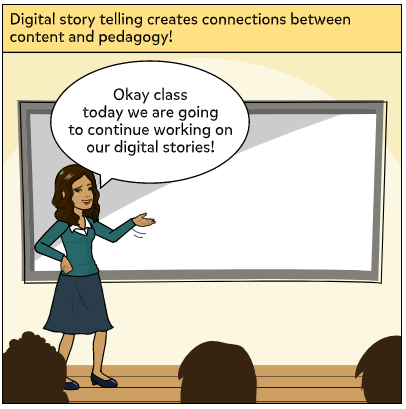
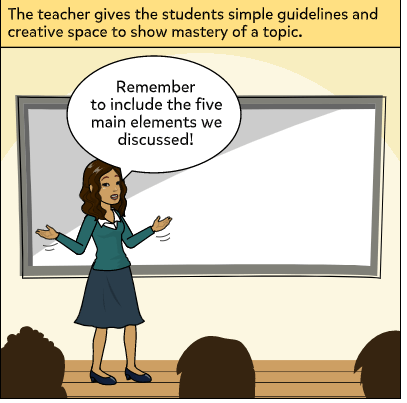
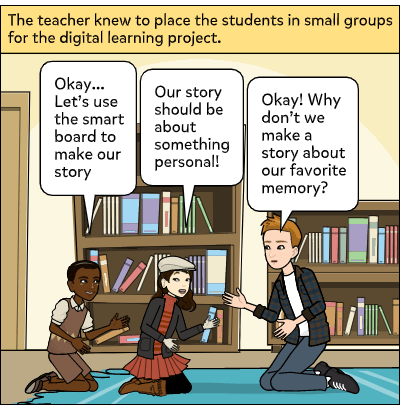
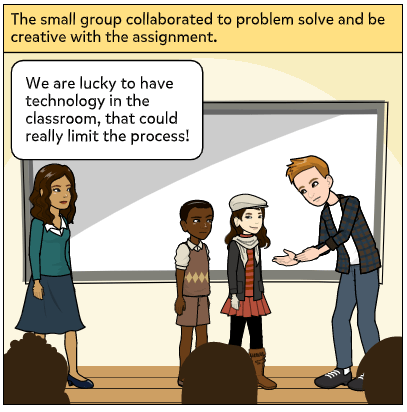
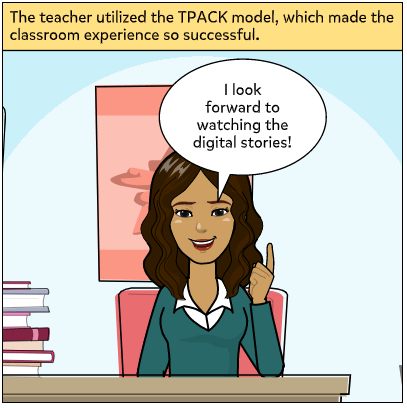
Using Pixton, I created this comic strip describing the reading: Enhancing Students in traditional and digital storytelling to make connections between pedagogy and children’s experiences.
The Lure of the Labyrinth is set on a strong foundation of a creator who wants to meet students where they are in their learning, and challenge them to create new, valuable learning experiences through video games. Gee put it best in his video when he said “ when humans understand something, they are able to literally able to run a simulation through their head.” When students are working on pre-algebra problems after playing this game, they will think back to the simulation from Lure of the Labyrinth and make the connections that will last much longer than memorizing equations or rules. Problem solving skills are essential, and by working with video games, we allow students to create stronger connections, problem solve, and even have fun. Would I use this game in my classroom if I were in a position to teach pre-algebra? Absolutely. I think that the creator of this game was extremely intentional with the game, how it is set up, and how it should be used, which makes it easy for an educator to see the functionality and explore possibilities.
In order to explore as much of the game as I could, I took a break from playing story mode. On the main page there are a few links to analyze the game as a whole unit. From the main page, you can either play the story mode game or play a puzzle. If you choose to play a puzzle, you are taken to a new page with the options of puzzles to play. It turns out that these are puzzles from the story mode game! So it gives you a chance to play a shortened version outside of a story mode. Playing these games will allow you to practice the logical thinking of these games without the pressures of a story that is at stake.
Another really cool aspect of the game is that as an educator, if I add a class to the game as an administrator, I can watch them play the game. I could also track their progress according to the games or standards. If I were to use this in my classroom, being able to track progress is a huge component that would help me to cater my lessons to what the students were doing in the game, or what they were learning in class. We could play the puzzle games together as a class to talk about problem solving strategies. Another thing I really like about the administrator tool is that I can monitor the messages between students and the message board for the class to see if the students are using it appropriately.
My favorite part of the game, if the “for educators” tab on the main screen. I was not anticipating that there would be so many resources available for teachers. It provides a plethora of information about the game itself, from characters, to the math in the game, to the game handbook, this provides a lot of information that will help the teacher provide context to the game which in turn helps the students to understand the objectives of the game. The creator of the game provides additional resources that educators can use before bringing Lure of the Labyrinth into the classroom. This information allows teachers to plan ahead and be more intentional with the game. The creator also has lesson plans connected to standards that can fit into the curriculum you are teaching. He encourages educators to back off while the students play the game, so that they can struggle and make decisions on their own in order to learn through trial and error. There is also a professional development video to watch. It is apparent that the creator put loads of effort into making this site user friendly for everyone who wants to teach math in a new creative way.
In the creators bio, he states, “students are experiencing mathematics in a different way than they usually do in the classroom. But they are building strong connections that can be the basis for going further when you bring that experience to the classroom. That’s why we are playing the game first and then connecting that experience to your curriculum is the most powerful way to use the game and the materials in this guide.” He is thinking just like Squire because the students are learning simple concepts in the game that they are able to apply to the real world. As the students are learning, they can refer back to the simulation from the game and make deeper connections that allow them to have a greater understanding of the concepts the educators are trying to get across in the classroom.
By Mlyssa Fojas
introduction to education blog
Educational Technology Dr. Shutkin
Ed 386
Using Technology in Human Performance Environments
ED 386
ED3410 & ED5410 educational technology integration, workshop and field study
ED 386 Spring 2020


 Educational Technology in the World | Rachael Leininger
You must be logged in to post a comment.